

Automate Coffee Bean Delivery: A 2026 Setup Guide
Table of Contents
- Why Automate Coffee Bean Delivery
- How to Calculate Coffee Consumption Per Month
- Set Up Weight-Based Replenishment with IoT Sensors
- API-Based Inventory Management and Automated Reorder
- Coffee Subscription with No Commitment: Flexible Delivery Models
- Best Practices for Storing Fresh Roasted Coffee
- Common Automation Mistakes to Avoid
- Conclusion
Last Updated: August 30, 2026
Why Automate Coffee Bean Delivery
Running out of coffee mid-week is a genuine problem for remote workers and coffee enthusiasts. You're focused on your day, and suddenly your supply dips below what you need. The traditional solution, manually checking inventory and reordering, works, but it requires attention you'd rather spend elsewhere. Automating coffee bean delivery removes that friction entirely.
The core idea is straightforward: set up a system that monitors your coffee consumption, tracks your current stock, and triggers a reorder automatically when you hit a threshold. This isn't complicated technology. It's a combination of simple hardware (a smart scale), basic software logic, and a flexible subscription model that lets you pause or adjust without penalties.
At Mocha Me Crazy, we've worked with customers who've implemented these systems, and the pattern is consistent. Once automation is running, people stop thinking about coffee supply and start thinking about flavor. That's the real win. You're not managing logistics, you're just brewing better coffee.
Below, we'll walk you through the exact steps to set up weight-based replenishment, integrate IoT sensors with your home automation platform, and choose a subscription model that doesn't lock you in. By the end, you'll have a working system that keeps fresh beans flowing without manual intervention.
How to Calculate Coffee Consumption Per Month
Before you set up any automation, you need a baseline: how much coffee do you actually drink per month? This number determines your reorder threshold and delivery frequency.
Start by measuring your daily consumption for two weeks. Weigh your beans at the start of each day and note the difference at the end. If you use pre-ground coffee or capsules, track the number of servings instead. Most home coffee drinkers consume between 0.25 and 0.5 pounds per day, though espresso enthusiasts and office-share scenarios can push higher (peer-reviewed research).
Once you have your daily average, multiply by 30 to get your monthly consumption. Add a 20-30% buffer for days when you brew more (entertaining guests, high-stress work periods). This buffer prevents the scenario where automation triggers a reorder but you run out before it arrives.
For example: if you drink 0.35 pounds daily, your monthly consumption is roughly 10.5 pounds. With a 25% buffer, you're targeting a monthly delivery of 13 pounds. If your roaster ships in 5-pound increments, you'd order 15 pounds per month (three 5-pound bags).
The calculation also helps you evaluate subscription models. A service that delivers every two weeks might make sense if you consume 5 pounds per two-week cycle. A service that requires monthly minimums becomes wasteful if you only drink 8 pounds monthly. Knowing your number upfront prevents mismatched subscriptions.
Set Up Weight-Based Replenishment with IoT Sensors
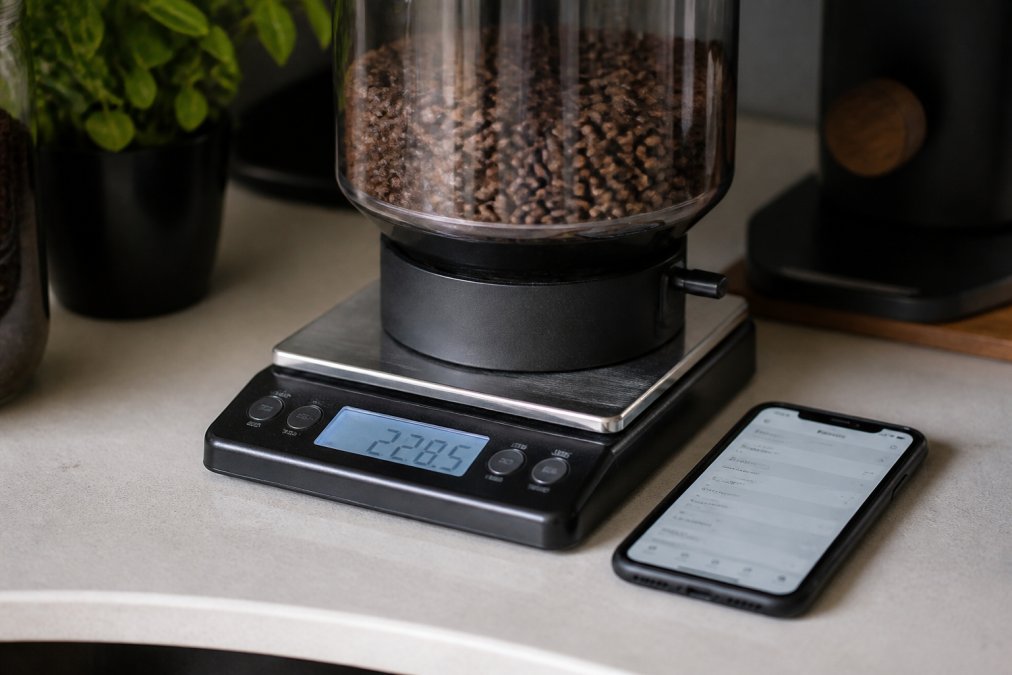
Weight-based monitoring is the most reliable trigger for automating coffee bean delivery. Unlike consumption-tracking algorithms that require behavioral data, a load cell on your coffee storage container gives you real-time, continuous feedback on your actual stock level.
Choosing the Right Load Cell and Smart Scale
A load cell is a sensor that measures weight and outputs a digital signal. For home coffee automation, you need one rated for at least 25 pounds (to handle a full hopper plus margin) with 0.1-pound accuracy (nist.gov). Industrial-grade load cells are overkill and expensive; consumer-grade smart scales designed for kitchen use work well.
Popular options include Bluetooth-enabled kitchen scales that integrate with smart home platforms. These typically cost between $30 and $80 and connect directly to your home automation hub. Look for scales with API support or webhook functionality, this allows your automation platform to read weight data and trigger actions based on thresholds.
The sensor should sit on a stable, level surface. Your coffee storage container sits directly on top of the scale. As you use coffee, the weight decreases. When it drops below your threshold (say, 3 pounds remaining), the scale sends a signal to your automation platform.
Accuracy matters here. A scale that fluctuates by ±0.5 pounds creates false triggers. Test your scale with known weights before deploying it in your workflow. If it drifts, recalibrate it weekly.
Connecting Sensors to Your Home Assistant
Home Assistant is an open-source automation platform that integrates smart devices and triggers workflows based on sensor data. It's free, runs locally on your network, and supports thousands of devices and integrations.
Here's the basic setup:
- Install Home Assistant on a Raspberry Pi or dedicated small computer. The installation takes 20-30 minutes and requires basic networking knowledge.
- Add your smart scale to Home Assistant by connecting it via Bluetooth or WiFi. The platform will detect the scale and create a sensor entity for weight.
- Create an automation rule that monitors the weight sensor. The rule should specify: "If weight drops below 3 pounds, send a webhook to your coffee subscription service."
- Set up the webhook endpoint with your roaster or subscription platform. This endpoint receives the signal from Home Assistant and triggers an automated reorder.
The automation rule uses simple logic: if weight < threshold, then send HTTP POST to reorder endpoint. Home Assistant supports conditional logic, time-based triggers, and notification systems, so you can add complexity as needed.
For example, you might add a rule that prevents reorders between 11 PM and 7 AM (to avoid early morning deliveries), or a rule that checks your subscription account balance before triggering a reorder (to prevent orders if you've paused your subscription).
Testing is critical. After setting up the automation, manually reduce the scale's reading (or place a weight on it) to verify the reorder trigger fires. Check your email or subscription account to confirm the order was placed. Run this test twice to ensure consistency.
API-Based Inventory Management and Automated Reorder
For advanced setups, integrate directly with your coffee roaster's API. This approach eliminates manual webhook configuration and gives you programmatic control over order frequency, quantity, and delivery timing.
Mocha Me Crazy and similar roasters increasingly expose APIs that allow customers to build custom integrations. An API connection lets you query your subscription account, check order history, and trigger reorders directly from your automation platform.
The workflow looks like this:
- Home Assistant reads weight from your scale every 5-10 minutes.
- A script queries your roaster's API to check your current subscription status and available balance.
- If weight is below threshold AND your subscription is active, the script sends a reorder request to the API.
- The roaster processes the order and ships according to your subscription terms.
This approach requires API documentation from your roaster and basic familiarity with HTTP requests and authentication (API keys). Most modern roasters provide REST APIs with clear documentation. If your roaster doesn't offer an API, you can still use webhook-based automation, but you lose the ability to query account status before placing an order.
One advantage of API integration: you can implement consumption-rate forecasting. Instead of a simple threshold trigger, you calculate your expected consumption rate and predict when you'll run out. The system then triggers a reorder 3-5 days before your projected stockout date, accounting for shipping time.
For example, if you consume 0.35 pounds daily and your scale shows 5 pounds, you have roughly 14 days of supply. If your roaster's standard shipping takes 5 days, the system orders when you hit 7 days remaining (2 pounds). This prevents stockouts while avoiding overstocking.
Coffee Subscription with No Commitment: Flexible Delivery Models
The automation only works if your subscription model supports it. A service that locks you into fixed delivery schedules or penalizes pauses defeats the purpose of automation.
Look for services offering these features:
- Pause without penalty: You should be able to pause your subscription for a month (or longer) without losing your place in the queue or paying a cancellation fee.
- Flexible frequency: Monthly, bi-weekly, or custom intervals. Your automation should be able to trigger orders on-demand, not on a fixed calendar schedule.
- No minimum commitment: Month-to-month subscriptions that you can cancel anytime. Multi-month discounts are fine if they're optional.
- API or webhook support: The service should accept automated reorder signals, not require manual clicks.
Mocha Me Crazy offers flexible delivery options that work well with automated systems. You can pause, adjust frequency, or cancel without penalties. The roasting-to-order model also means you're not waiting weeks for beans to ship, orders roast and ship within 24-48 hours, which aligns well with automated reorder triggers.
When evaluating a subscription, ask directly: "Can I pause my subscription without a fee?" and "Do you support automated reorders via API or webhook?" Services that hesitate on either question are optimized for predictable revenue, not customer flexibility.
Best Practices for Storing Fresh Roasted Coffee
Automation handles the delivery logistics, but storage determines whether your beans stay fresh. Fresh roasted coffee peaks in flavor 5-10 days after roasting (peer-reviewed research). After that, it gradually oxidizes and loses aroma and complexity.
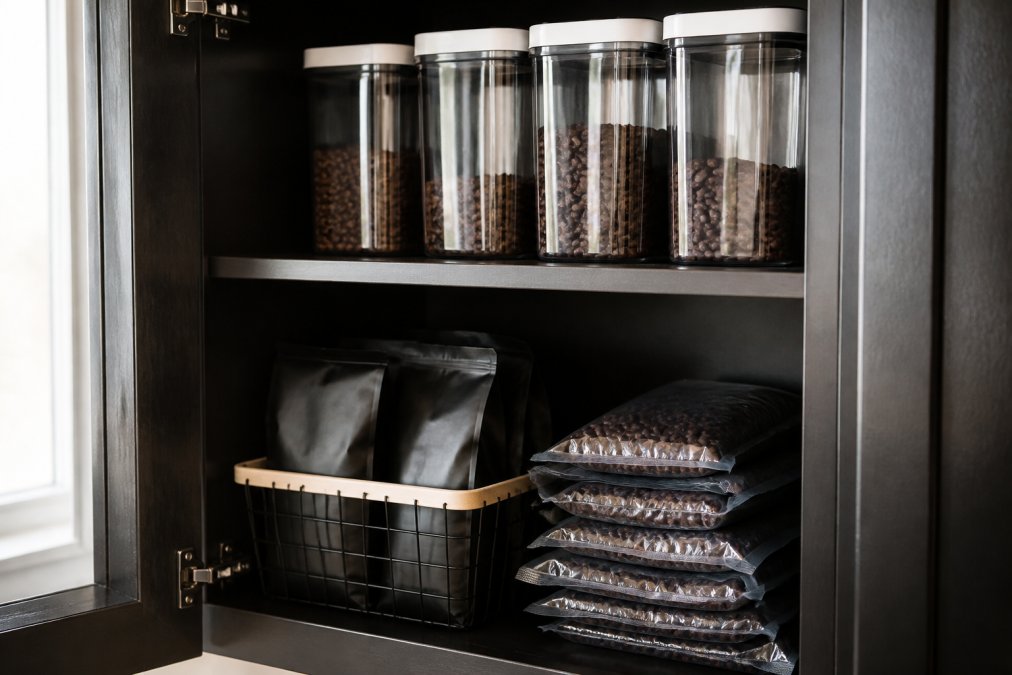
Store beans in airtight containers away from light, heat, and moisture. A dark cabinet or opaque canister works well. Avoid the freezer, coffee absorbs moisture and odors from the freezing process, which degrades flavor. Room temperature (around 70°F) is ideal.
If you're automating delivery, your consumption rate should match your roasting schedule. If beans arrive weekly but you only drink 5 pounds per week, you'll have old beans sitting in storage. Align your delivery frequency with your actual consumption to maximize freshness.
One often-overlooked detail: valve-sealed bags (bags with one-way degassing valves) are designed for storage during shipping, not long-term home storage. Once the bag is opened, the valve becomes irrelevant. Transfer opened bags to an airtight container immediately.
For bulk storage, vacuum-seal bags work well. They extend freshness by 2-3 weeks compared to open containers. If you're storing more than a month's supply, vacuum-seal portions and label them with roast dates. Use the oldest bags first (FIFO rotation).
Common Automation Mistakes to Avoid
Most automation failures come from threshold miscalibration, not technical problems. Here are the patterns to avoid:
Threshold too high: Setting your reorder trigger at 5 pounds when you consume 0.35 pounds daily means you're ordering when you still have 14 days of supply. This leads to overstocking and stale beans. Set your threshold at 2-3 days of remaining supply instead.
No buffer for delays: Assuming your roaster ships the same day you order is optimistic. Weekends, holidays, and processing delays happen. Always assume 5-7 days from order to delivery. If you consume 0.35 pounds daily, don't let your stock drop below 2.5 pounds (7 days of supply) before triggering a reorder.
Ignoring consumption variability: Some weeks you brew more. Weekends, entertaining, stress, all increase consumption. A threshold that works 90% of the time still leaves you stockout-prone 10% of the time. Add a 20-30% safety margin to your threshold calculation.
Forgetting to test: Deploy automation, then manually trigger it in a test environment before relying on it. Check that your scale reads accurately, your home automation platform processes the rule correctly, and your roaster's API accepts the request. A failed test is infinitely better than a failed reorder when you're out of coffee.
Overcomplicating the first iteration: Start with a single rule: weight drops below X, send reorder. Once that works reliably for a month, add complexity like time-based restrictions or consumption forecasting. Complexity is the enemy of reliability.
Automating coffee bean delivery is straightforward once you understand the three components: measuring consumption, setting up a weight-based trigger, and choosing a flexible subscription model. The setup takes a weekend and costs $50-150 in hardware. The payoff is never running out of fresh beans and never manually checking your supply again.
Start with Mocha Me Crazy's flexible subscription and a simple smart scale. The roasting-to-order model ensures freshness, and the no-commitment terms let you adjust frequency as your consumption patterns evolve. Once you've proven the basic workflow, layer in API integration and predictive reordering. By then, you'll understand your own coffee consumption well enough to optimize further. Get started with Mocha Me Crazy and build the automated coffee supply system that matches your actual drinking habits.
Frequently Asked Questions
How do I automate coffee bean delivery without being locked into a long-term subscription?
Choose a coffee subscription with no commitment that lets you pause, skip, or cancel anytime. Many premium roasters now offer flexible recurring delivery models where you control frequency and can adjust orders monthly. Set up automated reorder thresholds using IoT sensors and APIs so beans arrive exactly when you need them, without mandatory multi-month contracts. This approach gives you the convenience of automation with total control.
What's the best way to calculate how much coffee I need per month?
Start by tracking your daily consumption: measure how many cups you brew and how many grams per cup (typically 15-18g per 6oz cup). Multiply daily usage by 30 days to get your monthly total. Factor in brewing method, espresso uses more grounds than drip. Once you know your rate, set your automated replenishment threshold 20% above average consumption to account for variation. Adjust after the first month based on actual usage patterns.
How do weight-based sensors actually trigger coffee delivery?
A load cell or smart scale sits under your bean hopper and continuously monitors weight. When beans drop below a preset threshold (your minimum stock level), the sensor sends data to your home automation system or directly to a roastery's API. The automation script then triggers an order automatically. This consumption rate-based approach means you never run out, delivery arrives before you hit zero. Most systems let you customize the threshold based on your typical usage and roastery shipping time.
What are the key steps to store fresh roasted coffee so it stays at peak quality?
Keep beans in airtight containers away from light, heat, and moisture, a cool, dark cabinet works best. Use vacuum-sealed bags or opaque containers to block oxygen and light exposure. Store at room temperature (60-70°F), never in the refrigerator or freezer, as condensation damages flavor compounds. Buy fresh roasted beans in smaller quantities and consume within 2-4 weeks of the roast date for maximum aroma and taste. Proper storage extends the window between automated deliveries without sacrificing quality.
This article was written using GrandRanker